Simple dashboard
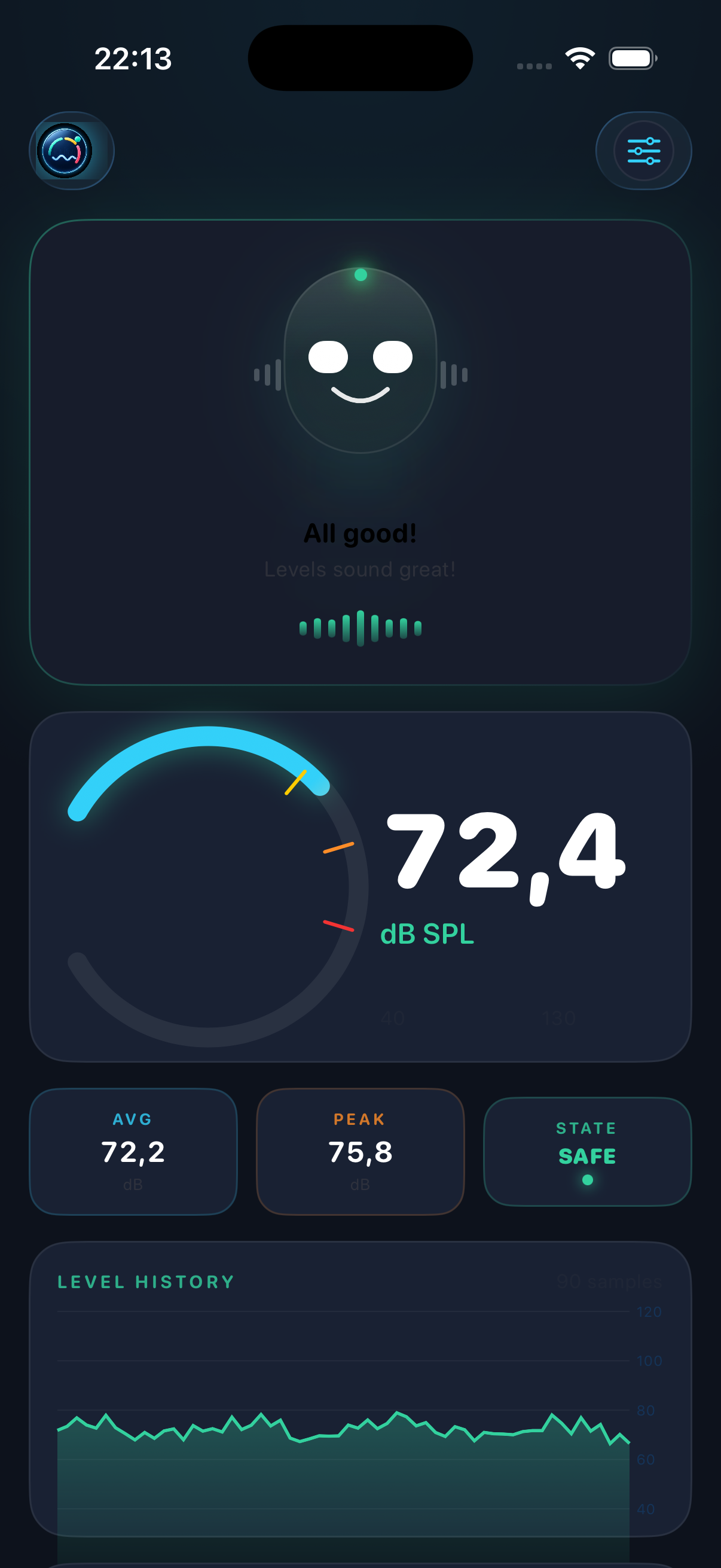
Best first test. It polls /status and shows current SPL, average, peak, Leq 1m, Leq 10m, and state.
Live Link turns the iPhone into a local SPL data source. Use JSON for browser dashboards and scripts, or send OSC to creative and show-control tools on the same network.
Quick Start
Live Link is local and opt-in. The iPhone and computer need to be on the same Wi-Fi network, and DeciMate SPL should stay open while you are streaming.
Put the iPhone and your dashboard computer on the same local network before starting Live Link.
Open DeciMate SPL and start a session so the app is producing live SPL and exposure values.
In Settings, tap Start Live Link. Allow the iOS Local Network prompt when it appears.
Open the numeric IP address shown by DeciMate SPL. It is more reliable than relying on iphone.local.
In The App
Once Live Link is running, DeciMate SPL lists the URLs to try from your computer. Use the numeric IP address first. Keep the app awake and in the foreground for the most stable stream.
192.168.1.42. Local names such as iphone.local depend on the router and can fail.
JSON Dashboards
Use JSON when you want a webpage, script, logger, or automation tool to read DeciMate SPL. The included examples can run directly from the repo.
Best first test. It polls /status and shows current SPL, average, peak, Leq 1m, Leq 10m, and state.
Built for demos and live monitoring. It mirrors the DeciMate SPL feel with state colors, meter motion, and companion-style feedback.
/status
Use this for polling once per second from fetch, Node.js, Python, Shortcuts, or any HTTP client.
/stream
Use this for continuous browser updates with server-sent events. It sends a JSON snapshot every 0.5 seconds.
examples/live-link
Includes a simple dashboard, animated dashboard, Node logger, and OSC receiver for local testing.
If the dashboard cannot connect, stop and restart Live Link, then paste the fresh numeric URL shown by the app.
OSC Stream
Turn on Stream OSC when you want DeciMate SPL to push readings out over UDP. Set the OSC host to your computer IP for the most reliable connection.
The example receiver listens on UDP port 9000 and prints incoming DeciMate SPL OSC messages in Terminal.
Broadcast can work on simple networks, but direct IP is better for venues and rehearsal rooms.
Run node examples/live-link/osc-receiver/live-link-osc-receiver.mjs, then set DeciMate SPL OSC host to this computer's IP and port to 9000.
Payload
The HTTP endpoints return a practical monitoring snapshot: live SPL, exposure fields, selected mode, threshold state, and companion state.