DeciMate SPL turns your iPhone into a practical SPL monitor with live dB readings, OSHA & NIOSH noise exposure reports, smart threshold alerts, and a friendly mascot that reacts to every level change.
Features
Designed for sound engineers, DJs, teachers, venue managers, and anyone who needs a fast, readable picture of what's happening with sound levels.
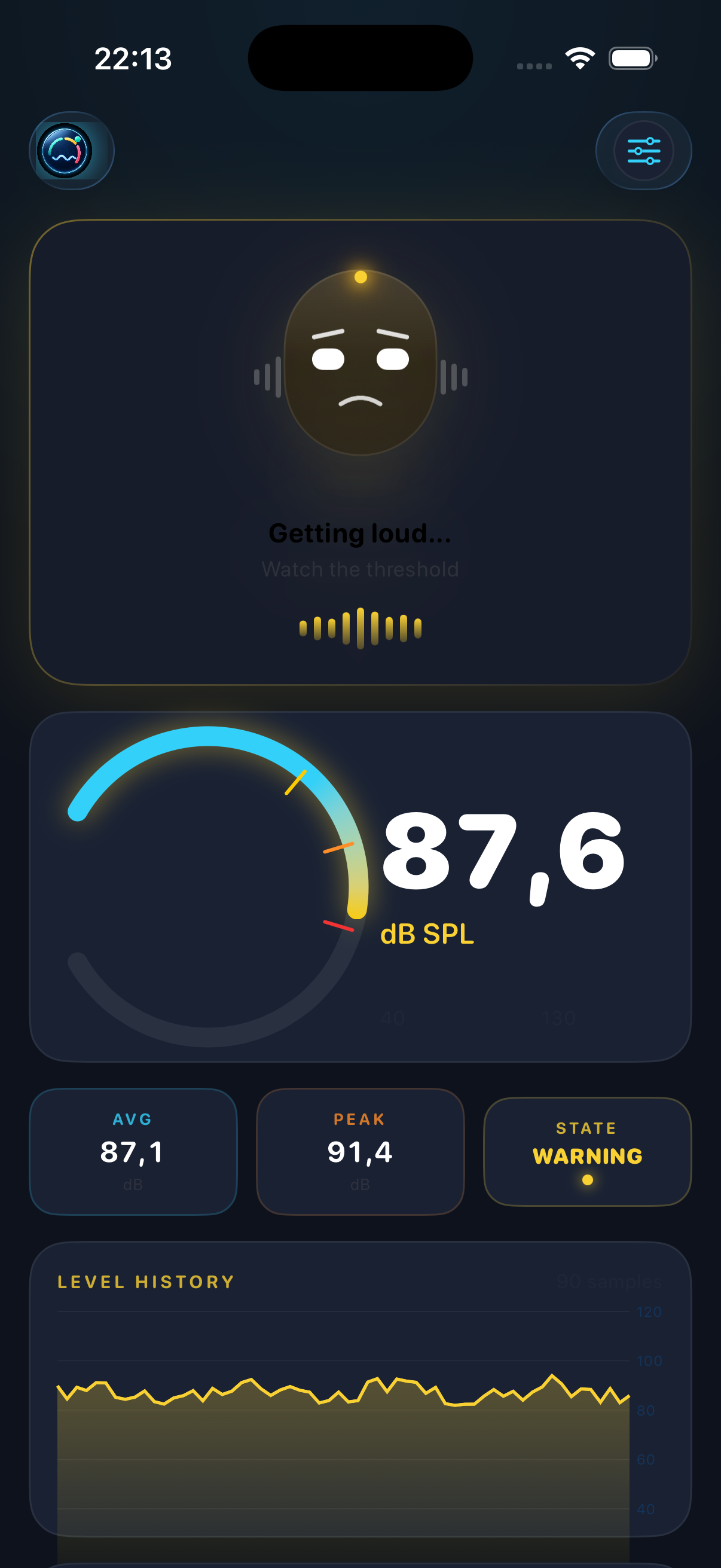
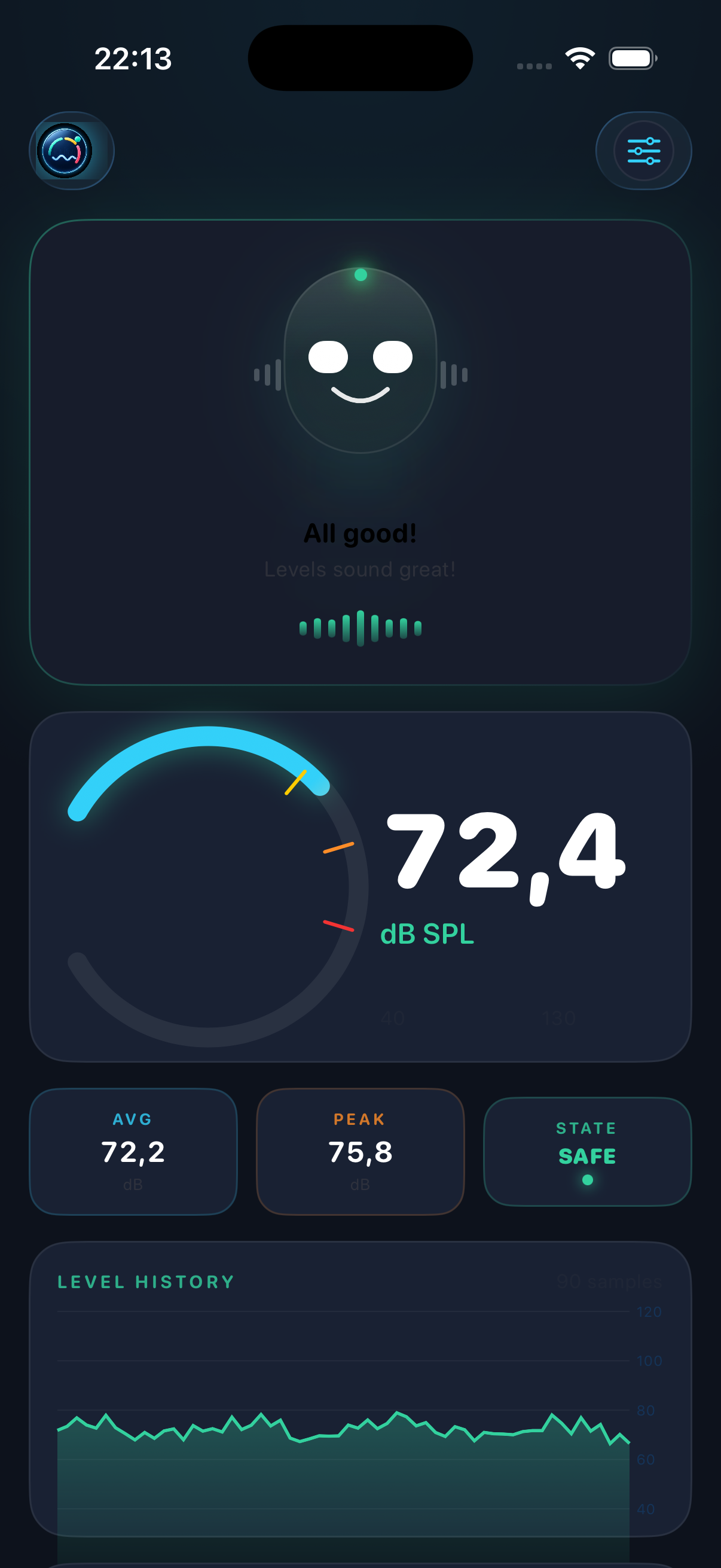
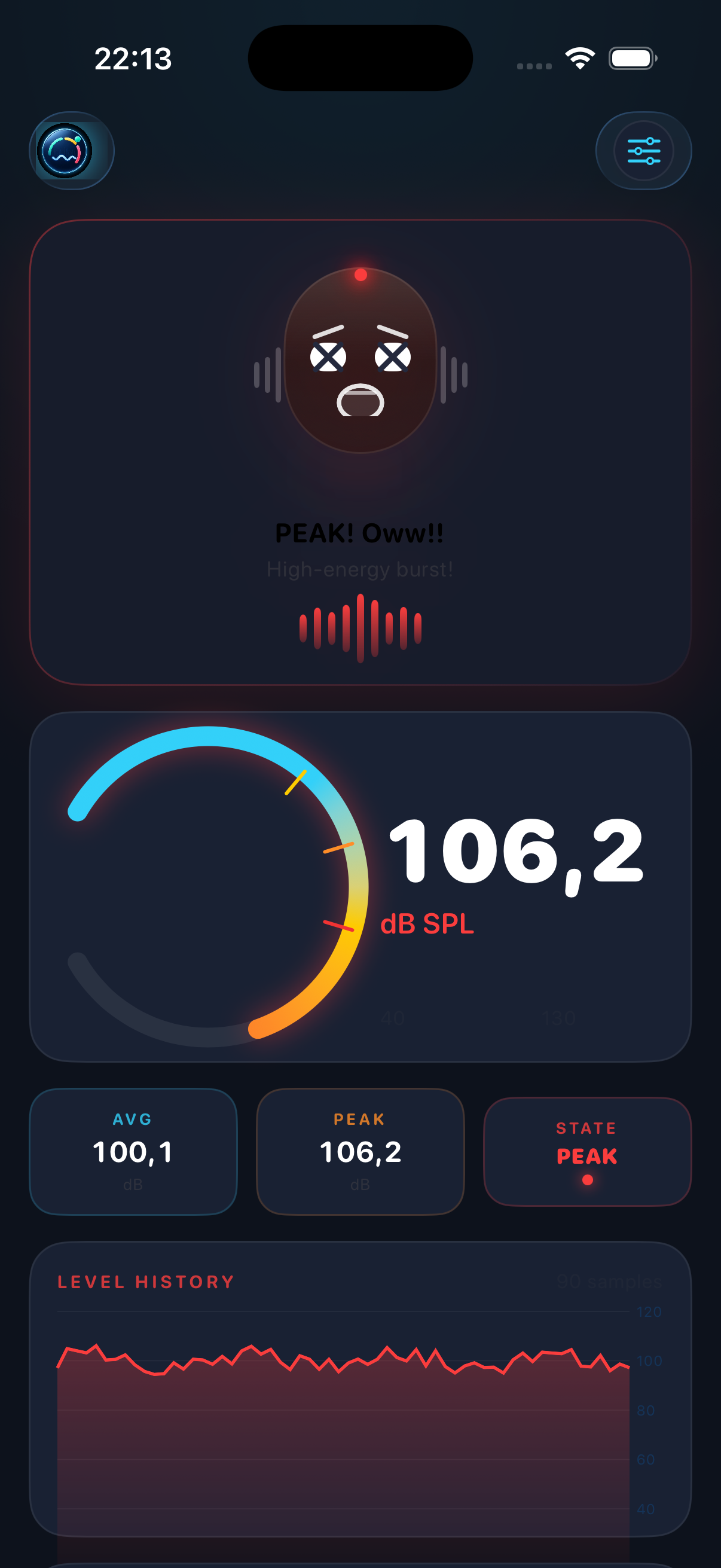
A 300° arc meter fills in real time as levels rise — cyan for safe, shifting through yellow and orange to red at peak. Average and session peak always visible.
A tiny audio-native mascot with white oval eyes reacts to every state change — calm waveform smile when quiet, panicked × eyes at peak events. Spring animations, random blinks, EQ bar ears.
Warning, Critical, and Peak thresholds shown as tick marks on the arc. The whole UI — mascot, chart, metric pills — shifts color as you cross each one.
Every export includes Leq, OSHA dose %, NIOSH dose %, 8-hour TWA, and EU LEX,8h — everything needed for practical noise exposure assessment.
Apply a manual dB offset using a reference meter, acoustic calibrator, or trusted SPL app. Follow the calibration guide.
A live area + line chart shows the last 90 samples. Color follows state — green baseline, yellow when worried, red at peak. Exported CSV includes every sample.
Optional local-network JSON and OSC streaming for dashboards, laptops, show-control rigs, and bridge workflows on the same Wi-Fi.
No account. No analytics. No cloud. Audio is processed on-device and never recorded or transmitted. Session data stays local until you choose to export it.
The Mascot
DeciMate SPL's mascot isn't decoration — it's a fast visual signal you can read from across a venue without squinting at numbers. Four distinct expressions, physics-based animations, and a waveform mouth that's uniquely DeciMate SPL.
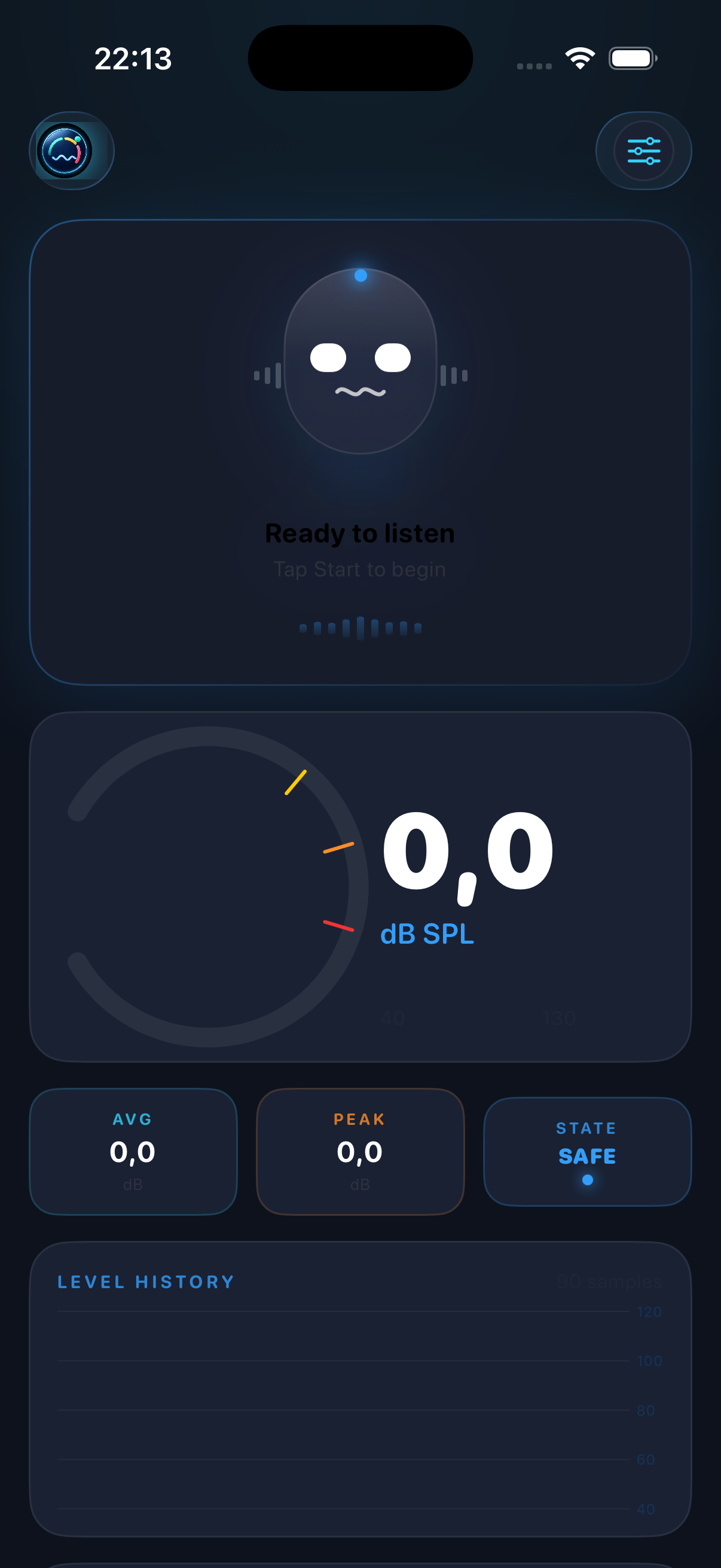
App Preview
Standby
Safe levels
Warning
Peak event
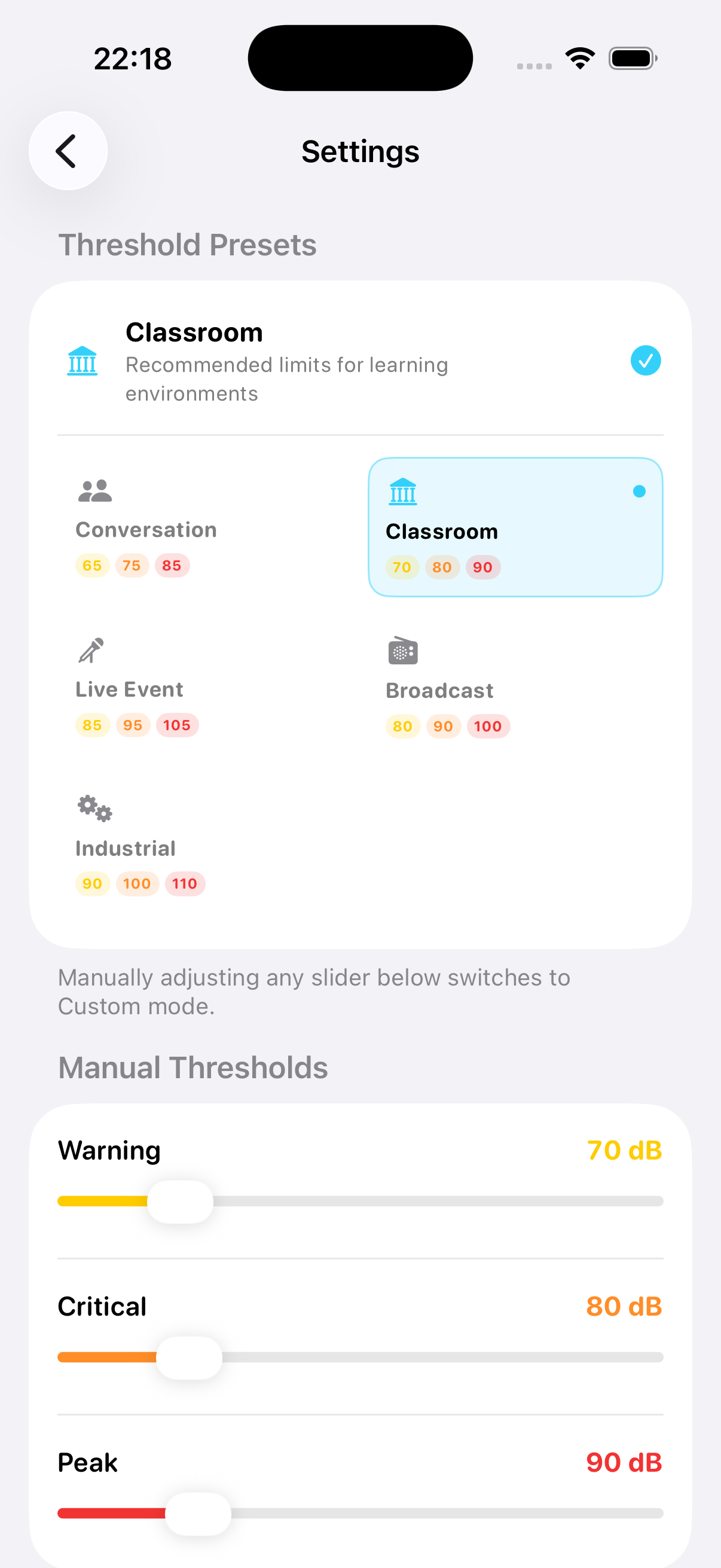
Threshold Presets
Noise Exposure Reports
Every session export includes the calculations that actually matter for noise exposure assessment — not just a raw dB log.
10·log₁₀(Σ10^(Lᵢ/10)/N)
— the internationally accepted method for noise exposure. Not a simple arithmetic average.
Threshold Presets
Built-in presets based on real guidelines. Or dial in fully custom thresholds with the sliders.
Quiet office or home
Learning environments
Concerts & venues
Studio & broadcast
Heavy machinery
Your own values
Live Link
Enable Live Link in Settings and any device on the same Wi‑Fi can poll your iPhone for JSON or receive OSC messages from current readings. No setup, no cloud, no account.
/status for JSON polling/stream for continuous browser updatesFree to download. No account. No cloud. Works right away.